
Fake accounts on OnlyFans follow patterns that are visible before you spend anything. A profile can look convincing at a glance and still fall apart when you check details. This article walks through a fast routine that takes a few minutes and catches most fakes. The goal is not suspicion of every page, but a repeatable check that protects your money.

The platform does not offer a built-in directory, which is why ranking sites exist. BestOnlyFans and similar sites collect free pages in one place, and that convenience is also where fakes try to blend in. Most impostors rely on users skipping a few basic checks. The checks below are quick and require no special tools.
Start with the photo set, because images are the easiest thing to steal. A fake page usually reuses pictures from a real creator, a stock archive, or an old account. The giveaway is consistency, not quality. When every photo shares one lighting setup, one location, and one outfit, the set was likely downloaded rather than shot over time.
Photo checks
Reverse image search remains the fastest single test. Upload a profile picture to a search engine and look at where the same file appears. If it shows up on another platform under a different name, the page is copying. Cropped or mirrored versions still match because the underlying image is identical.
Watch for metadata clues in the visible content. Screenshots of screenshots carry borders, compression marks, or interface elements from other apps. Genuine creators post originals, so repeated re-compression across a whole gallery is unusual. A single odd image proves nothing; a pattern does.
| Check | Genuine page | Fake page |
|---|---|---|
| Photo consistency | Varied locations, outfits, lighting | Same setup repeated across posts |
| Image origin | No matches elsewhere | Matches on other platforms or archives |
| Resolution | Original quality | Compressed, cropped, or bordered |
| Profile picture | Matches gallery style | Standalone image unrelated to posts |
A second pass on the gallery usually confirms the first impression. Scroll back several months and compare the earliest posts with the newest. Real pages show small changes: a new phone, a moved camera, changing seasons. Copied pages stay static until the thief finds a new source to pull from.

Bio signals
Bios are short, so fakes fill them with pressure instead of information. Common patterns include vague claims, off-platform contact requests, and urgency about limited offers. Genuine creators do promote, but the bio usually reads like a person describing what they post.
Read for what is missing. A real page names what subscribers get: posting frequency, content type, whether messages are answered. A fake page keeps everything generic so the description fits any stolen identity. Vagueness is not proof on its own, but it raises the score.
| Signal | Why it matters |
|---|---|
| Contact pushed to another app | Moves the conversation away from platform protections |
| Countdown or limited-time claims | Creates pressure to pay before checking details |
| No content description | Suggests the bio was written for any identity |
| Copy-pasted phrasing | Often appears word for word across multiple fakes |
Check the pricing line against normal ranges. Paid subscriptions run from $4.99 to $49.99, with most pages between $4.99 and $15 and an average around $5 to $10. There is no base price below $4.99, though promotional first months can dip lower. A page promising a permanent price under that floor is misrepresenting how billing works.
Tip: a free page means the subscription price is set to $0, and the creator earns through pay-per-view messages and tips. If a “free” page asks for a subscription fee at checkout, the pricing label and the page type do not match.

Posting history
Posting rhythm separates run accounts from hobby accounts. A real creator builds a schedule around their life, so gaps and bursts follow a rough pattern. A copied account often dumps a batch of stolen uploads at once, then goes quiet for weeks.
- Check the date stamps on the last ten posts and note the spacing between them.
- Look for batches uploaded within minutes, which suggest a bulk transfer.
- Compare weekday patterns across a month rather than a single week.
- Check whether captions match the images or repeat generic lines.
- See if replies to comments exist and answer specific questions.
- Confirm the account has a posting history older than a few days.
Engagement quality matters more than volume. Genuine pages tend to have comment threads where the creator responds with context. Fakes attract short, generic comments that repeat across accounts, or no comments at all on older posts.

Contact pressure
The strongest warning sign is a rush. Fakes want a decision before you cross-check anything, so they move the conversation fast and keep it focused on payment. Pressure is not a style choice; it is the mechanism that makes the scam work.
- Messages that ask you to move to another messaging app immediately.
- Requests for payment methods outside the platform checkout.
- Claims that an offer expires within minutes rather than days.
- Repeated prompts to buy pay-per-view items before any conversation.
- Excuses for why the page cannot receive tips through normal channels.
- Sudden personal urgency stories used to justify extra payments.
Note how the platform handles money, because that limits what a fake can ask for. OnlyFans takes a 20% fee on subscriptions, tips, and pay-per-view messages, and the creator keeps 80%. Payments run through the platform, so any request to pay elsewhere removes your protection entirely. For a starting point, free onlyfans meaning collects free pages.

Cross-checking
Before subscribing, spend one minute confirming the creator exists somewhere else. Real creators usually link to a personal site, a social profile, or a storefront from the same identity. Cross-presence does not guarantee authenticity, but its absence on a polished page is a gap.
- Search the exact username on other platforms and compare profile photos.
- Look for a linked personal site that references the same page.
- Check whether the linked accounts were created long before the page.
- Compare follower counts and posting dates across platforms.
- Read third-party reviews or listings for consistency.
- Confirm the same name and photo appear together in older posts.
Ranking sites help here, since the platform has no discovery feed or directory of its own. Directories that list free pages give you a second source to compare against. If a page appears nowhere except one listing, treat that as a lower confidence score rather than a verdict.
A quick look at how money is spread across the platform also explains why fakes cluster around certain niches. A small share of creators earn most of the revenue, so impersonating a popular style is more profitable than building an identity from scratch.

Report and move on
Once you confirm a page is fake, stop interacting and document what you saw. Screenshots of the profile, the messages, and the payment requests give you something concrete if you need it later. Do not send more money to test the account further.
- Take screenshots of the profile, bio, and any payment requests.
- Use the platform report option on the profile or message thread.
- Block the account so it cannot message you again.
- Cancel any recurring subscription tied to the page.
- Note the date you reported it in case of follow-up.
- Warn others only with facts you personally verified.
Cancelling deserves its own note, because timing is not obvious. If a creator raises the subscription price, auto-renew stops, and existing access lasts until the current paid period ends. So a page that suddenly changes price may not bill you again, but you keep access for the remainder of the term.
Understanding how free pages work also clarifies what to expect after reporting. A free page sets its price to $0 and earns through pay-per-view messages and tips, so the scam usually happens in direct messages rather than at checkout. That means the message thread, not the profile, is where the loss occurs.
For a plain explanation of the model behind these pages, see this guide to free onlyfans meaning, which covers how pricing at $0 changes the way creators earn.
Follow hygiene
Most fake accounts reach you through a follow, a comment, or a direct message, so a few habits reduce exposure over time. You do not need to verify every profile you see. You only need to slow down before money moves.
- Do not subscribe from a direct message link.
- Open the profile directly and check the posting history first.
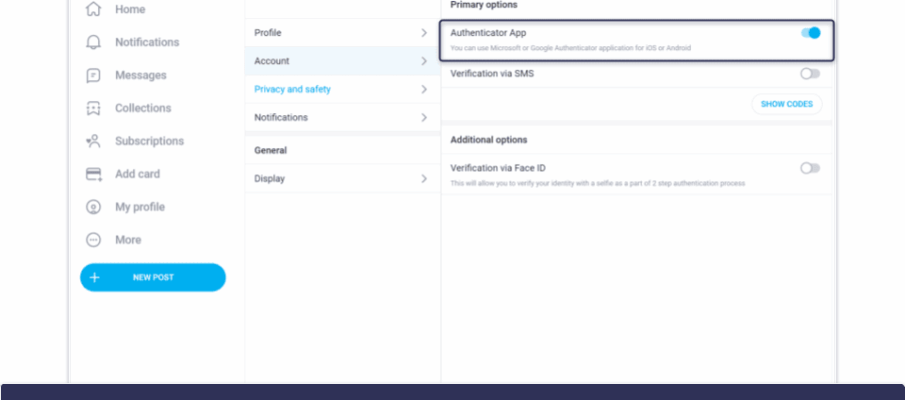
- Keep two-step authentication enabled on your own account.
- Set a monthly spending limit before browsing.
- Unfollow accounts that send payment requests in the first message.
- Review active subscriptions once a month and cancel anything unused.
Comparing revenue distribution helps you judge how much a page depends on volume. Pages that push constant purchases are usually running a numbers game rather than building a subscriber base.
Consistency beats intensity. Two minutes of checks before each new subscription will catch the obvious fakes and cost you almost nothing. BestOnlyFans listings and similar directories can speed up the first pass, but the final judgment stays with you. Keep the routine short so you actually use it. BestOnlyFans refreshes its rankings every month.
FAQ
How long should a basic fake-page check take?
About two to three minutes: one reverse image search, one scroll through the posting history, and one look at the bio.
Can a free page still be a scam?
Yes. A free page sets the price to $0 and earns through pay-per-view messages and tips, so pressure often arrives in direct messages instead.
What should I check first if I am unsure?
Start with the photos. Reused images show up in reverse searches, and that single check resolves most doubtful cases.
Does raising the price cancel my subscription?
Auto-renew stops when a creator raises the price, and existing access lasts until the current paid period ends.